The Power of Budget Spreadsheets
When you’re managing a mortgage, childcare, or college expenses, the last thing you need is to complicate your life with complex online services or mobile apps. If you prefer simplicity and want to avoid the hassle of setting up multiple accounts or managing endless logins, a budget spreadsheet is the perfect solution for your organizational needs.


1. Why Choose a Spreadsheet?
Managing a household isn't just about how much you earn; it’s about making the most of what you have. Gaining total control over where your money goes allows you to tweak your habits and build a systematic spending plan that actually works.Efficiency Meets Privacy
While a spreadsheet may not have the "bells and whistles" of expensive, ad-supported platforms, it offers a flexible and affordable solution. Since most households already own Excel, it provides a familiar, powerful interface for data tracking without a steep learning curve. Most importantly, it ensures your privacy: you manage your data offline, eliminating the need to share sensitive bank details with third-party providers.1.1. Key Benefits at a Glance
- Automatic Calculations: Adjust your budget instantly as you enter transactions—no manual math required.
- Accurate Forecasting: Plan your spending for specific categories for the month and year ahead.
- Identify Patterns: Uncover spending habits that reveal your true financial priorities.
- Realistic Adjustments: Tweak your budget to reflect your actual life, rather than forcing unrealistic changes.
- Informed Decisions: Visualizing your finances on one worksheet helps you make confident choices.
- Personal Connection: Documenting transactions "up close and personal" creates a level of awareness that automated apps can't match.
A Ready-to-Use Solution
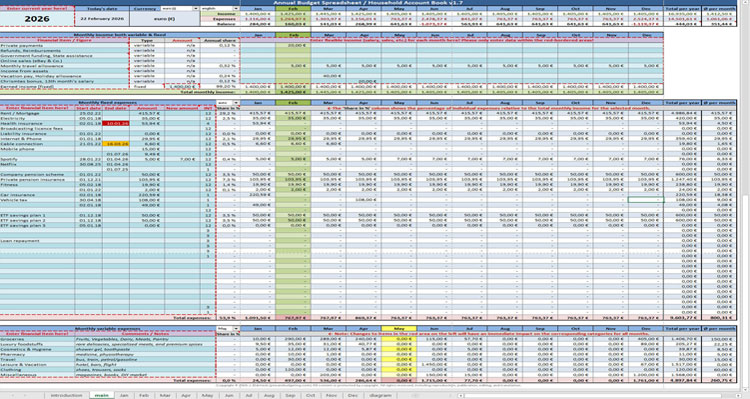
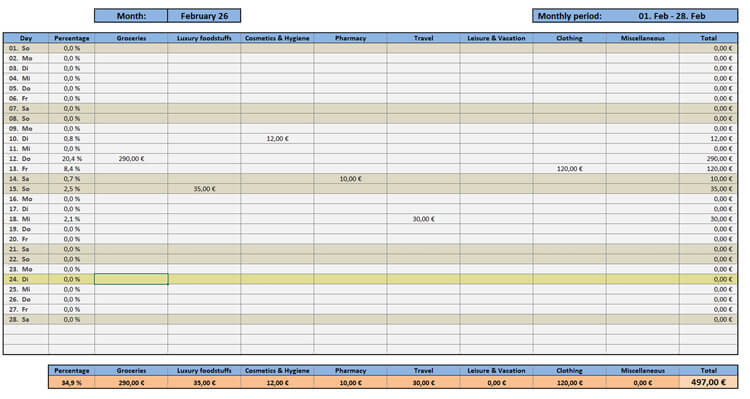
Through years of planning my own finances, I’ve found digital spreadsheets to be the most reliable tool. To save you the time and effort of building one from scratch, I have developed a professional Excel Budget Spreadsheet (see images below). Because of the extensive design and advanced functionality built into these worksheets, I offer this template for a small fee—providing you with a high-end financial tool for a fraction of the cost of a monthly subscription.